Prototype
Due diligence automation
Buy-side M&A due diligence tool that could also be used for other high volume review tasks. You define the deal context, the information you want extracted, and point the tool at a folder containing the relevant documents. The tool crawls through the folder, parsing, hashing, and deduplicating documents, and then extracts the information that the user defined. It runs in parallel, making API calls to LLMs for each document, with the backend fully substitutable. The output then exports to the file type the user desires.
- Input
- A folder of agreements (PDF, DOCX, XLSX)
- Output
- Structured due diligence table, exported to Excel or Word
- Models
- Anthropic, OpenAI or Gemini behind one interface
- Built
- 2026
Why I built it
On a buy-side deal, the diligence review is extremely time-consuming, and hence expensive for clients. Modern LLMs largely have the reasoning skills necessary to extract the relevant information for a lawyer to then parse and incorporate into a due diligence report. Trying to do this with a chatbot or agent, like Copilot or Claude Cowork, saturates the agent's context window and is error prone, time consuming, and token inefficient. This tool avoids those failure modes by sending individual documents independently and in parallel via API call to an LLM to perform the reasoning.
It is agnostic to the LLM backend, so allows for flexibility in model selection and also enables the use of on-prem open weight models. LLMs are only drawn on when and where reasoning is required, making the tool predictable and token-efficient.
Pipeline
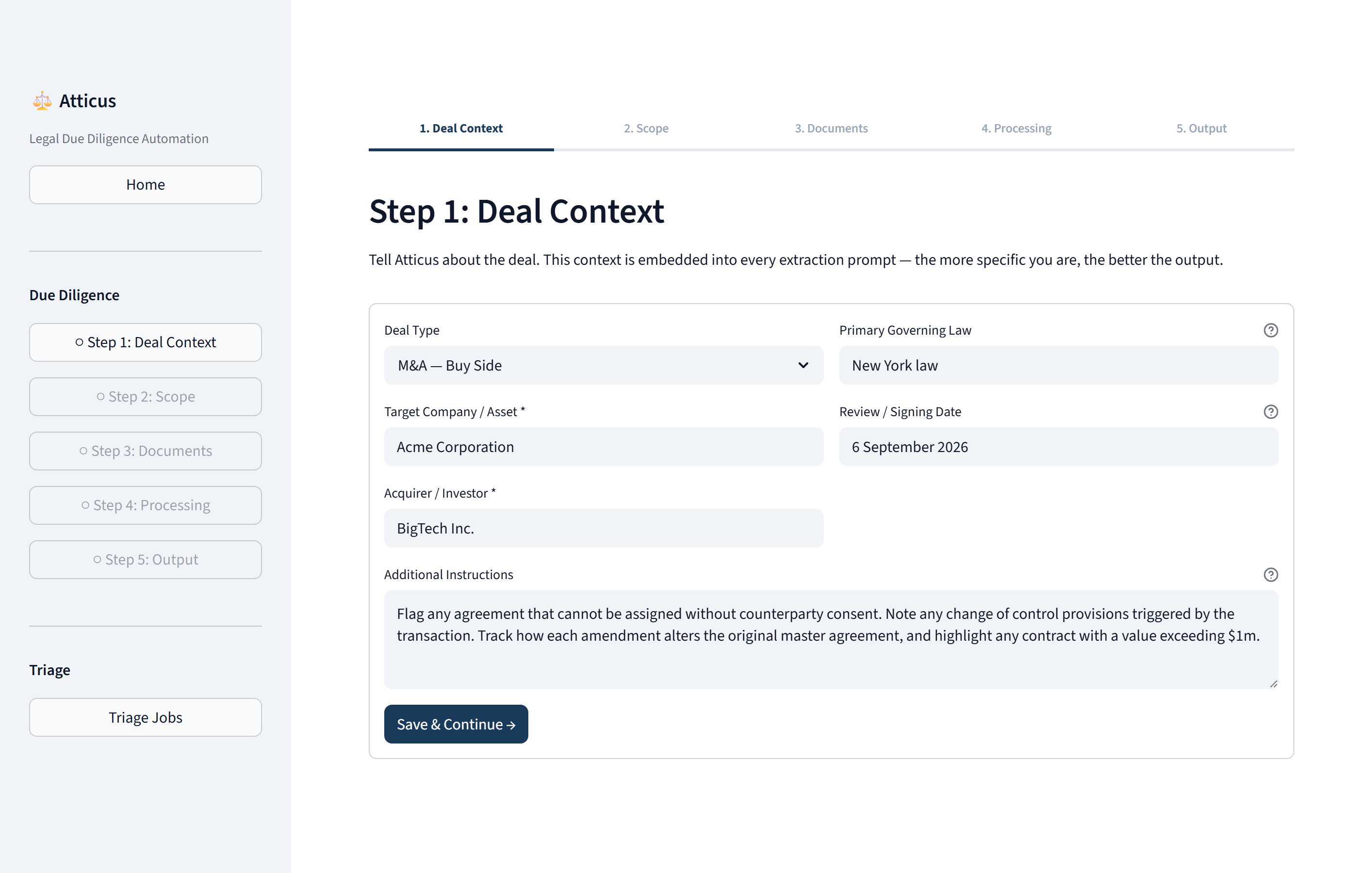
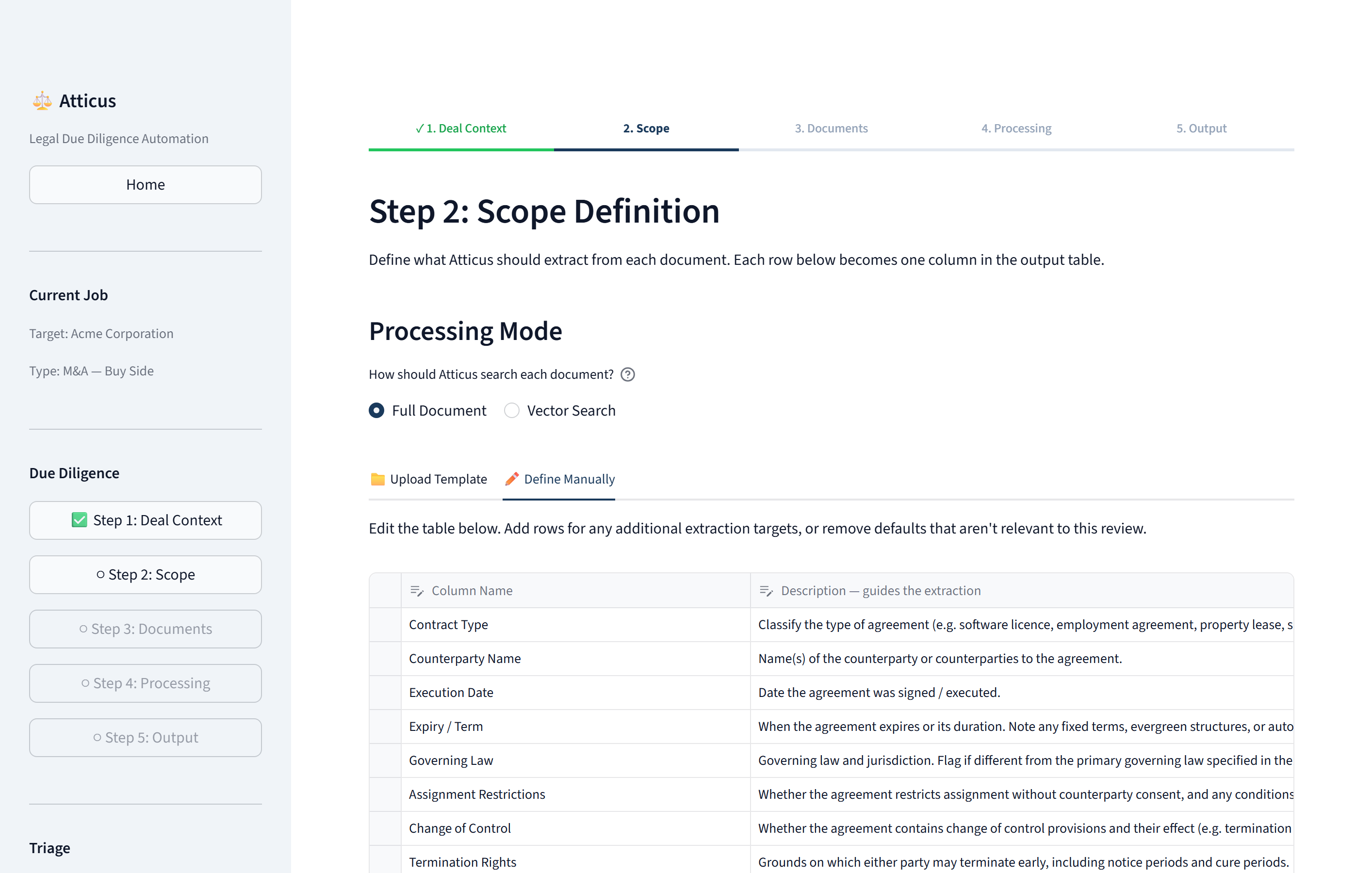
The tool starts by asking for deal context. The user then puts in background and context regarding the deal, so that the LLM can effectively reason about each document within the correct context. This is similar to providing context to a junior when delegating work. The user then defines the extraction scope. This is essentially analogous to defining the columns in a diligence table. The scope includes the questions that you want answered from each document, in the context of the deal. The deal context and the extraction scope are compiled into the system prompt and sent with every document. Without that context an instruction like "flag anything that cannot be assigned without consent" is ambiguous, and the model has no basis on which to compare a clause against the deal. With it, the governing-law column returns "State of Delaware (different from the primary governing law of New York)" rather than just "Delaware".
After giving the context and the extraction scope, the user points the tool at a folder and the tool crawls through the folder, ingesting documents. In the ingestion phase, the tool parses, hashes, and deduplicates the documents in the folder. Once it has ingested all of the documents, it performs the analysis. This is done by sending each document independently and in parallel to an LLM via an API call. The document is sent with prompts built from the context and scope. Every extraction goes through the provider's structured-output mechanism — tool use, function calling, or the equivalent — against a JSON schema generated at runtime from the columns the user defined. The model also returns confidence scores, allowing the lawyer reviewing the output to know where to focus their review.
Provider abstraction. The tool is agnostic to the LLM provided for the reasonining. Anthropic, OpenAI or Gemini models can be used, or you can easily swap out for on-premise open-weights models.
Output
Once the extraction and analysis is finished, the output can be exported as a table in Word or Excel. Below shows an example of the output from a test corpus of ten synthetic documents — five third-party services agreements, and a master services agreement with four successive amendments.
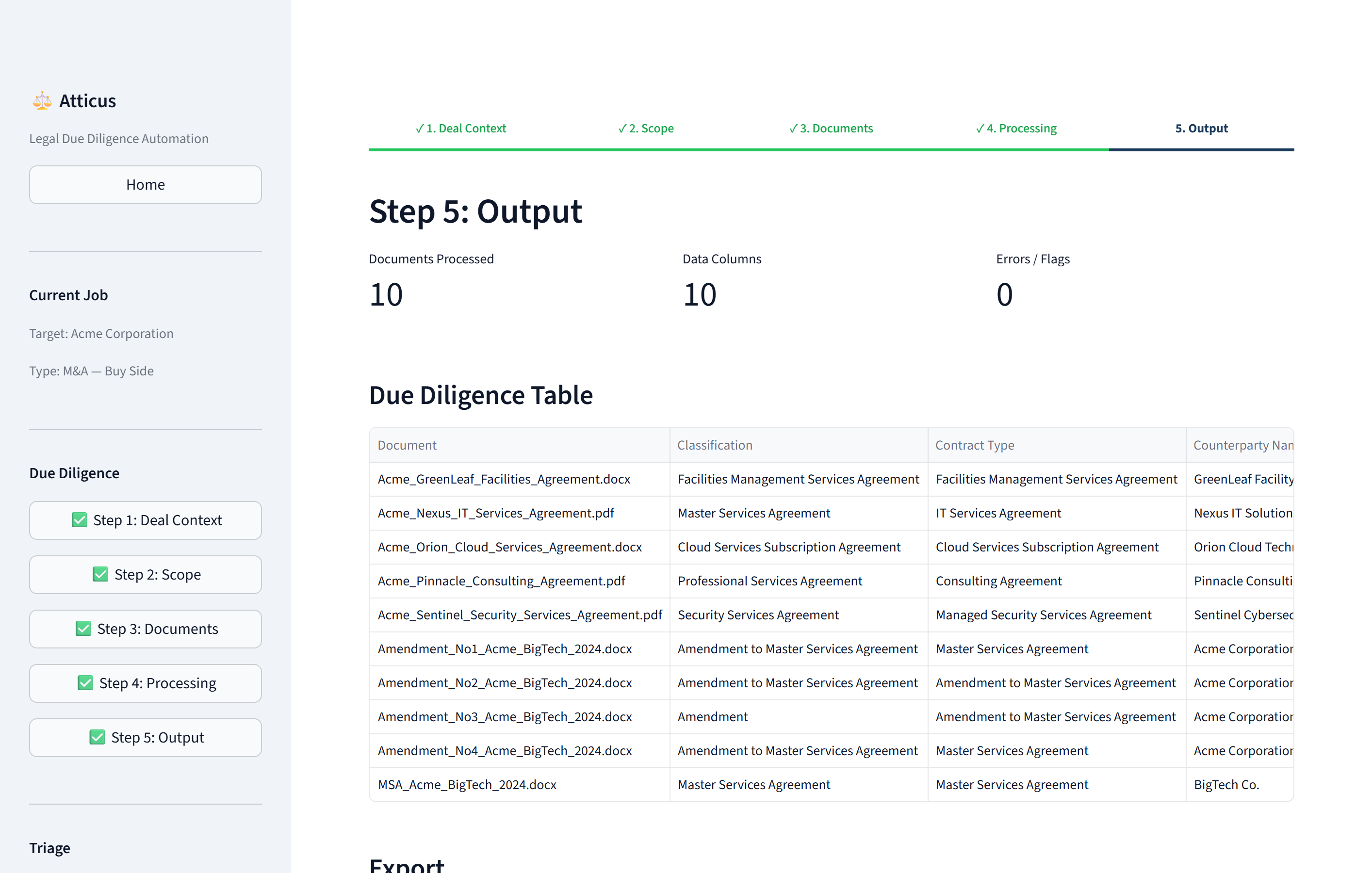
Two cells from that run:
| Document | Column | Extracted |
|---|---|---|
| Nexus IT Services | Governing Law | State of Delaware (Flagged: Different from primary governing law of New York) |
| Nexus IT Services | Change of Control | Client (Acme) may terminate immediately upon written notice if Vendor undergoes a Change of Control (as defined in Section 1.2) and the acquiring entity is a direct competitor of Client… For the transaction (Acme's acquisition), Section 4.2 allows Acme to assign the Agreement without Nexus's consent in connection with a merger or acquisition of Acme, provided the assignee assumes all obligations. |
The second cell handles change of control in both directions — what happens if the counterparty is acquired, and what happens if the client is — and cites the section for each. That comes from the deal context supplied in step 1.
How it was built
Built in Python with the help of Claude Code. Source is not public, but I am happy to walk through it.